PadLab++ and Clip Lab / Guides / Clipboard history on Mac
// Win+V, but on a Mac
Clipboard history on Mac: where it is and how to get a real one.
On Windows you pressed Win V and everything you had copied was there. On the Mac, for years, the clipboard held one thing. Here's what changed with macOS 26, and how to get a history that never expires.
Short answer
Since macOS 26 Tahoe the Mac has a clipboard history inside Spotlight: turn it on in System Settings → Spotlight and open it with ⌘ Space, then ⌘ 4. It keeps items for 7 days at most.
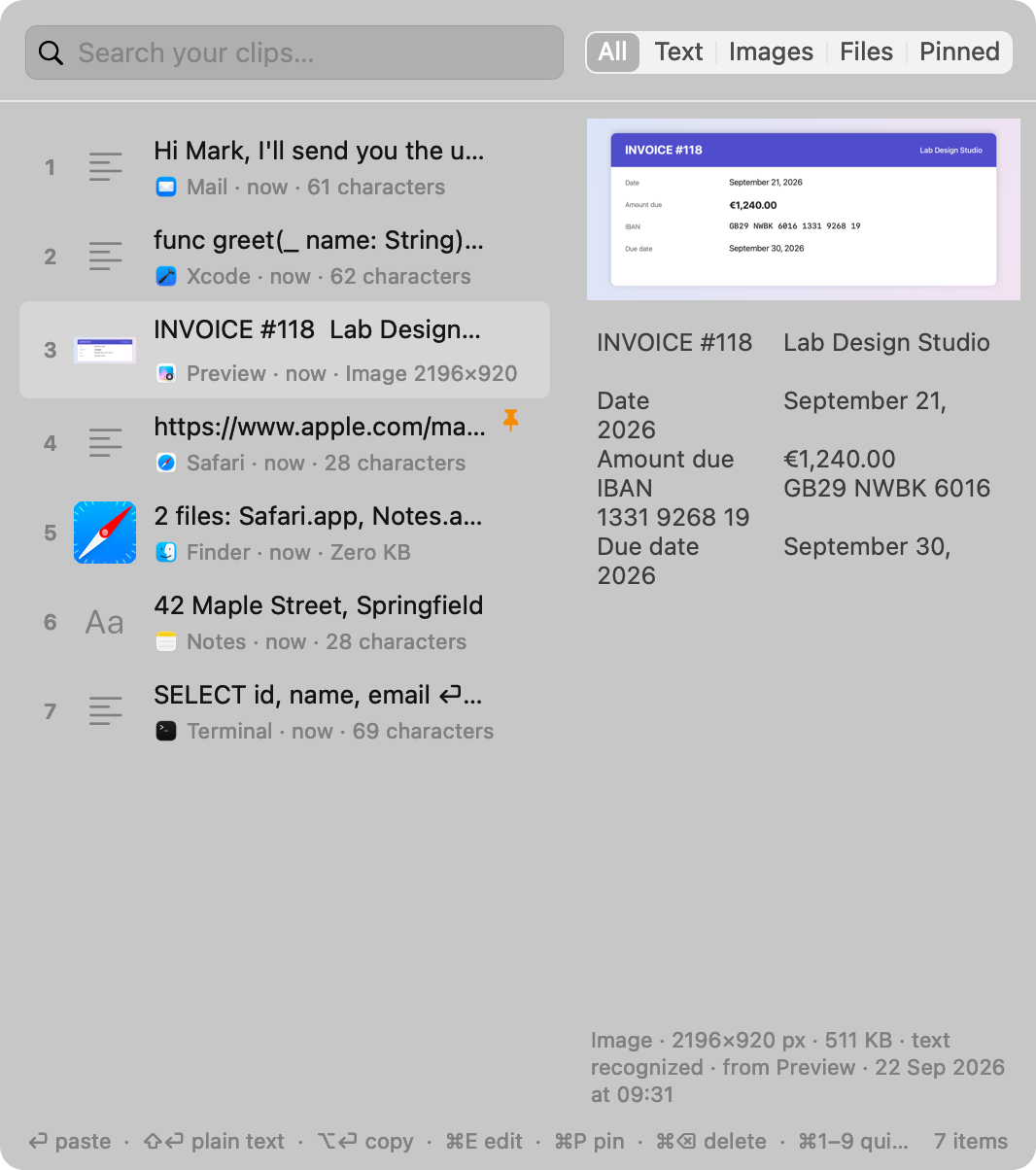
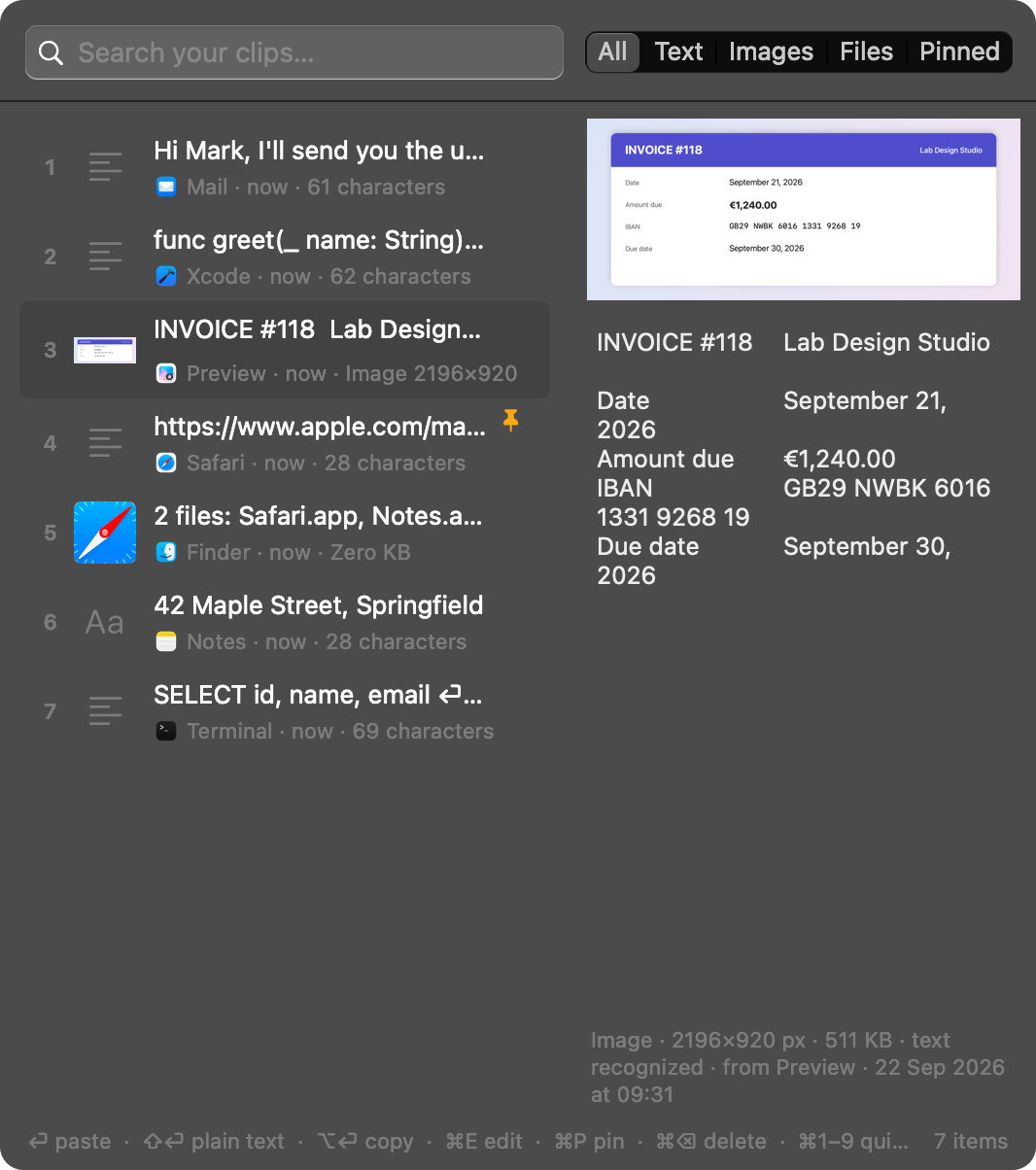
Up to macOS 15 the Mac only remembers the last copy. For an unlimited history, with search, pinned items and the text inside images, on any Mac from macOS 14, there's Clip Lab: ⌥ ⌘ V, type two letters, Return.
€5.99, once · no subscription · macOS 14 or later · Apple silicon and Intel
// what's already on your Mac
The Spotlight clipboard, since macOS 26.
With macOS 26 Tahoe Apple added a clipboard view to Spotlight. It's off until you turn it on, and it works like this:
- Open System Settings → Spotlight and turn on clipboard history. Since macOS 26.1 you also choose how long to keep it: 30 minutes, 8 hours or 7 days.
- Press ⌘ Space to open Spotlight, then ⌘ 4 to switch to the clipboard.
- Pick the item you need with the arrow keys.
To get back something you copied a moment ago, that's plenty. It isn't an archive, though: after a week at most your clips are gone, you can't pin the ones you use all the time, and it isn't there on Macs running macOS 14 Sonoma or 15 Sequoia.
On any version, Edit → Show Clipboard in the Finder shows what the clipboard holds right now: one item, the last one you copied.
// side by side
Spotlight or Clip Lab?
If you copy little and run macOS 26, Spotlight may be enough. If the clipboard is a work tool for you, like Ditto or Win+V on Windows, here's the difference.
| Spotlight (macOS 26) | Clip Lab | |
|---|---|---|
| macOS versions | macOS 26 and later | macOS 14 Sonoma and later |
| How long it remembers | 30 minutes, 8 hours or 7 days | Forever, until you clear it |
| Text, links and images | Yes | Yes, and files copied in the Finder too |
| Pinned items (addresses, IBANs, signatures) | No | ⌘ P, never deleted |
| Search the words inside screenshots | No | Yes, and paste their text with ⇧ ⏎ |
| Paste without formatting | — | ⇧ ⏎ |
| Edit a clip before pasting it | No | ⌘ E, as in Ditto |
| Fix, translate or summarize with AI | No | Yes, with Apple Intelligence, on your Mac |
| Leaves passwords out | — | Yes, and you can exclude whole apps |
| Price | Included in macOS | €5.99, once |
Spotlight as documented for macOS 26.1; Apple's features may change with updates. Clip Lab's AI needs macOS 26, a Mac with Apple silicon and Apple Intelligence turned on.
// your fingers already know
From Windows to Mac: the clipboard keys.
Clip Labif you used Win+V or Ditto
| Action | Was | Now |
|---|---|---|
| Open the history | Win+V · Ctrl+` | ⌥ ⌘ V |
| Search your clips | type | type |
| Paste the selected item | Enter | ⏎ |
| Paste without formatting | — | ⇧ ⏎ |
| Paste the 3rd item | — | ⌘ 3 |
| Pin an item | the pin | ⌘ P |
| Edit a clip | Ctrl+E | ⌘ E |
| Close | Esc | esc |
You can change the shortcut in Clip Lab's settings.
// frequently asked
Clipboard history on Mac: questions.
Does the Mac have a clipboard history?
Since macOS 26 Tahoe, yes: turn it on in System Settings → Spotlight and open it with ⌘Space, then ⌘4. It keeps items for 30 minutes, 8 hours or at most 7 days. Up to macOS 15 Sequoia, the Mac only remembers the last thing you copied.
What is the Mac equivalent of Win+V?
On macOS 26 there is the clipboard history in Spotlight (⌘Space, then ⌘4). For a history that never expires, with search, pinned items and the text inside images, you need an app such as Clip Lab, which opens with ⌥⌘V.
Where does the Mac keep what I copy?
On the macOS clipboard, which holds a single item: each copy replaces the previous one. In the Finder, Edit → Show Clipboard shows what it holds right now.
Does Clip Lab record passwords?
No. Copies that password managers mark as confidential are never recorded, and you can exclude whole apps in the settings. The history stays on your Mac and never goes online.
Try Clip Lab free for 7 days
Every feature, no sign-up, no credit card. Then €5.99, once, for two Macs.
- Open the downloaded file and drag Clip Lab to Applications.
- The first time, macOS asks you to confirm: System Settings → Privacy & Security → “Open Anyway”.
- Press ⌥ ⌘ V: your history starts here.