
PadLab++ and Clip Lab / Guides / Notepad for Mac
// Notepad, but on a Mac
Notepad for Mac: where to find the Notepad you used on Windows.
On Windows, Notepad was just there: you opened it, typed, and your tabs stayed even without saving. The Mac doesn't have it. Here's what to use instead, from TextEdit to a tabbed editor made for people coming from Windows.
Short answer
The Mac has no Notepad. The closest app is TextEdit, already installed, but it starts in rich text, like WordPad. Press ⇧ ⌘ T to make it plain text.
If you miss tabs that never lose anything, line numbers, Find and Replace, and Windows files that open without garbled characters, there's PadLab++: the same keys, with ⌘ instead of Ctrl.
€9.99, once · no subscription · macOS 14 or later · Apple silicon and Intel
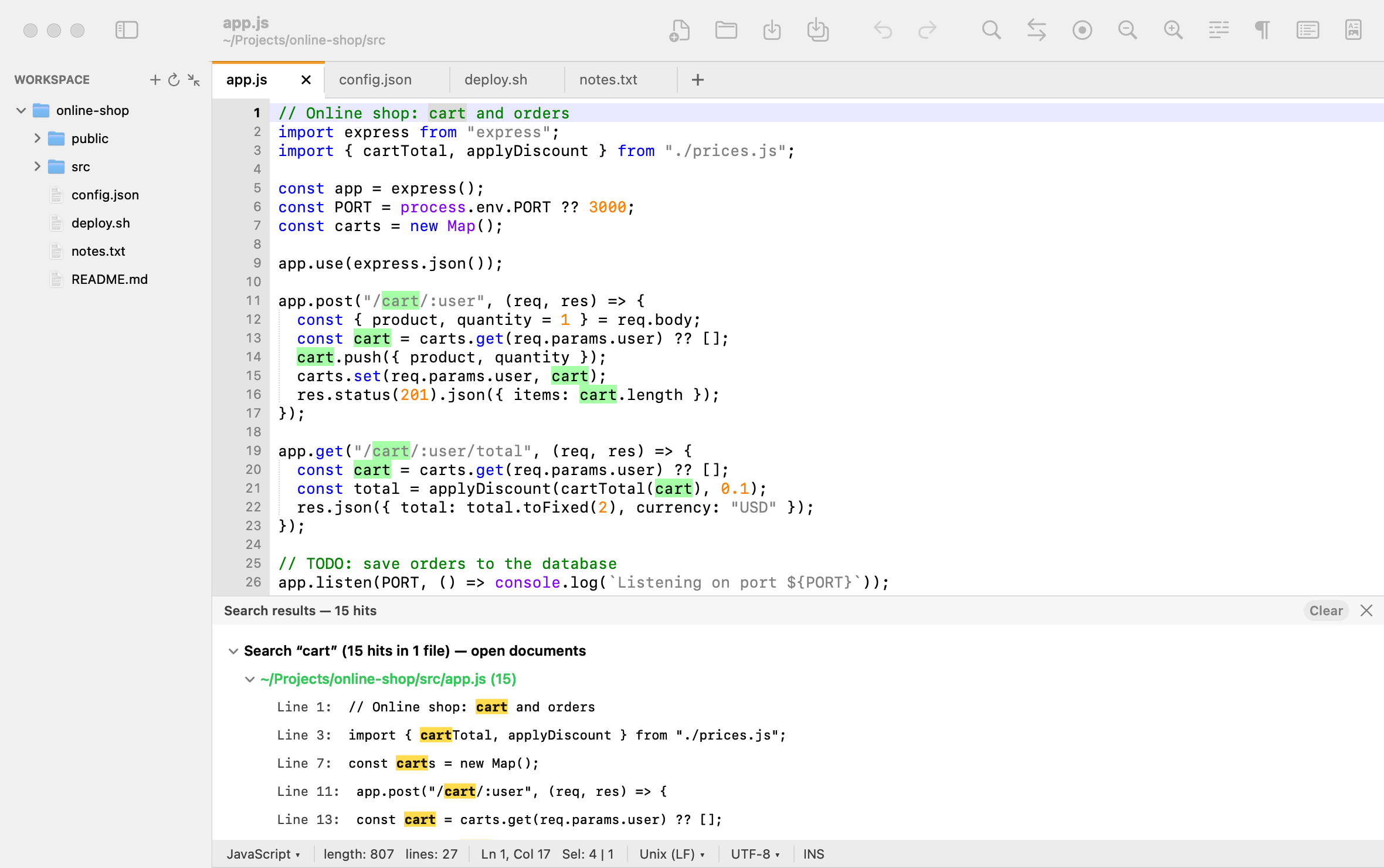
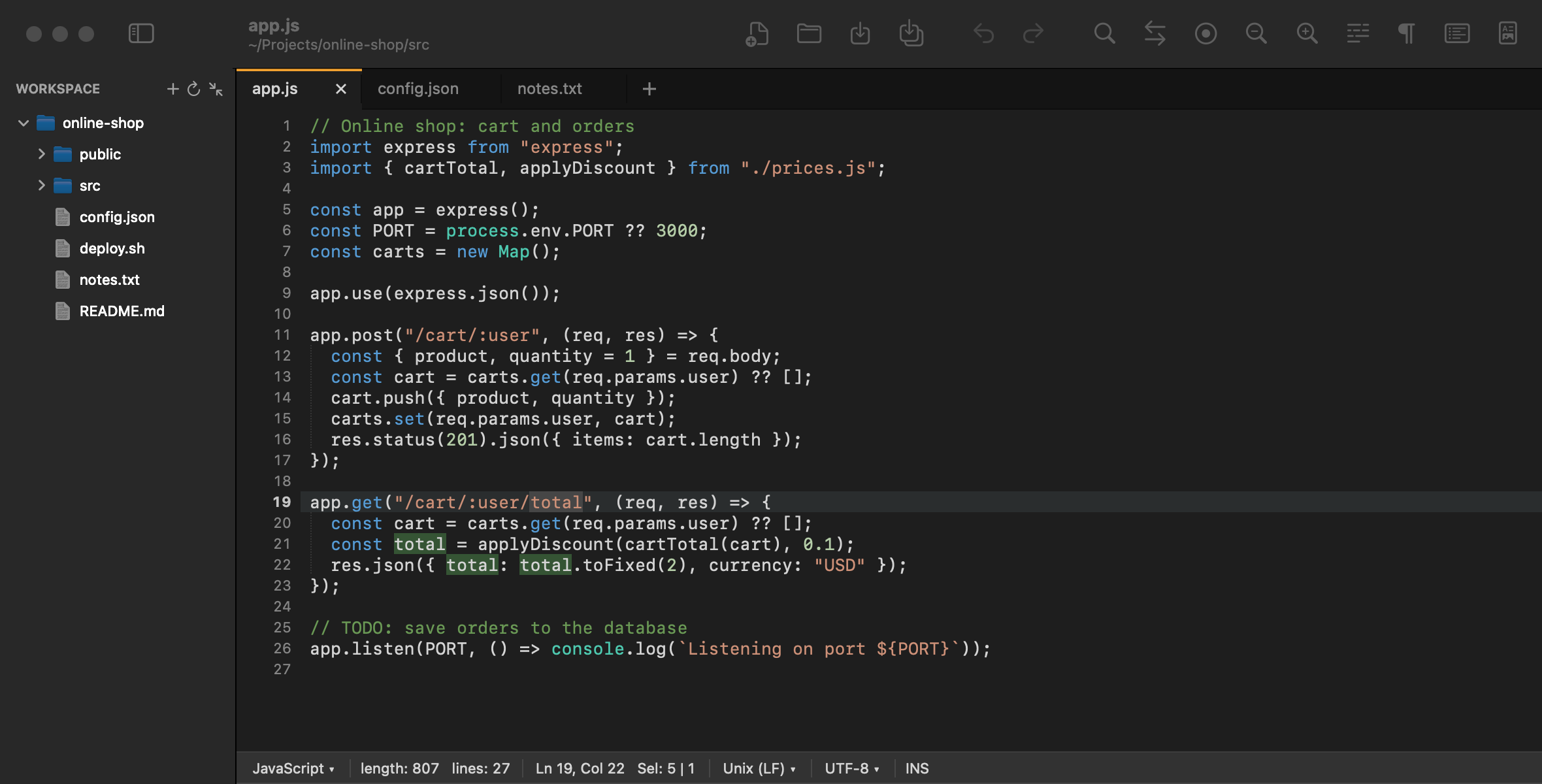
// what's already on your Mac
TextEdit as Notepad, in two steps.
TextEdit is in the Applications folder of every Mac. To use it like Notepad:
- Open TextEdit → Settings → New Document and choose Format: Plain text. Every new document starts without bold text or fonts.
- For a document that's already open, use Format → Make Plain Text, or ⇧ ⌘ T.
For a shopping list or a quick note, that's fine. What's missing are the things you took for granted in Notepad, or used in Notepad++: line numbers, regular-expression search, searching every file in a folder, code colors, converting Windows line endings.
// side by side
TextEdit or PadLab++?
TextEdit is a small word processor. PadLab++ is a text and code editor, made for people coming from Notepad and Notepad++.
| TextEdit | PadLab++ | |
|---|---|---|
| Starts in plain text | Only once you set it | Always |
| Tabs | With macOS window tabs | Always in view, with a dot on changes |
| Reopens every tab, even unsaved ones | — | Yes, with a backup every few seconds |
| Line numbers | No | Yes |
| Find and Replace with regex | No | Yes, in all open documents too |
| Find in every file of a folder | No | ⇧ ⌘ F |
| Code colors | No | 30 languages, 7 themes |
| Windows files (ANSI, CRLF) | Pick the encoding when opening | Detected, and converted to UTF-8 and LF in one click |
| Markdown preview and PDF | No | ⇧ ⌘ V, export to PDF |
| Fix and rewrite with Apple Intelligence | macOS Writing Tools | Plus translations, code explanations and regex from plain words |
| Price | Included in macOS | €9.99, once |
The AI assistant needs macOS 26, a Mac with Apple silicon and Apple Intelligence turned on; without it, everything else works as usual.
// your fingers already know
From Notepad to Mac: the keys.
Almost always, press ⌘ where you used to press Ctrl.

PadLab++if you used Notepad
| Action | Was | Now |
|---|---|---|
| New tab | Ctrl+N · Ctrl+T | ⌘ N |
| Open | Ctrl+O | ⌘ O |
| Save | Ctrl+S | ⌘ S |
| Save as | Ctrl+Shift+S | ⇧ ⌘ S |
| Close tab | Ctrl+W | ⌘ W |
| Find | Ctrl+F | ⌘ F |
| Find next | F3 | ⌘ G |
| Replace | Ctrl+H | ⌥ ⌘ F |
| Go to line | Ctrl+G | ⌘ L |
| Ctrl+P | ⌘ P | |
| Zoom in | Ctrl++ | ⌘ + |
| Time/Date | F5 | Edit → Insert |
| Word wrap | Format | View |
Coming from Notepad++? PadLab++ also has macros, bookmarks, multiple cursors and file compare: the full table.
// frequently asked
Notepad for Mac: questions.
Is there Notepad on Mac?
No, Notepad is Windows only. The closest app on the Mac is TextEdit, which comes preinstalled: with Format → Make Plain Text (⇧⌘T) it works as a simple text editor.
How do I make TextEdit always open in plain text?
In TextEdit open Settings → New Document and choose Format: Plain text. From then on every new document starts without formatting.
Why do Windows text files show garbled characters on a Mac?
Usually the file was saved in a Windows encoding (ANSI, Windows-1252) and is being read as UTF-8. PadLab++ detects the encoding, shows it in the status bar and converts the file to UTF-8 or UTF-16, and line endings between CRLF and LF.
Is PadLab++ free?
You can try it free for 7 days with every feature. A license costs €9.99 once, with no subscription, and covers two Macs.
Try PadLab++ free for 7 days
Every feature, no sign-up, no credit card. Then €9.99, once, for two Macs.
- Open the downloaded file and drag PadLab++ to Applications.
- The first time, macOS asks you to confirm: System Settings → Privacy & Security → “Open Anyway”.
- Done: from then on it opens like any other app.